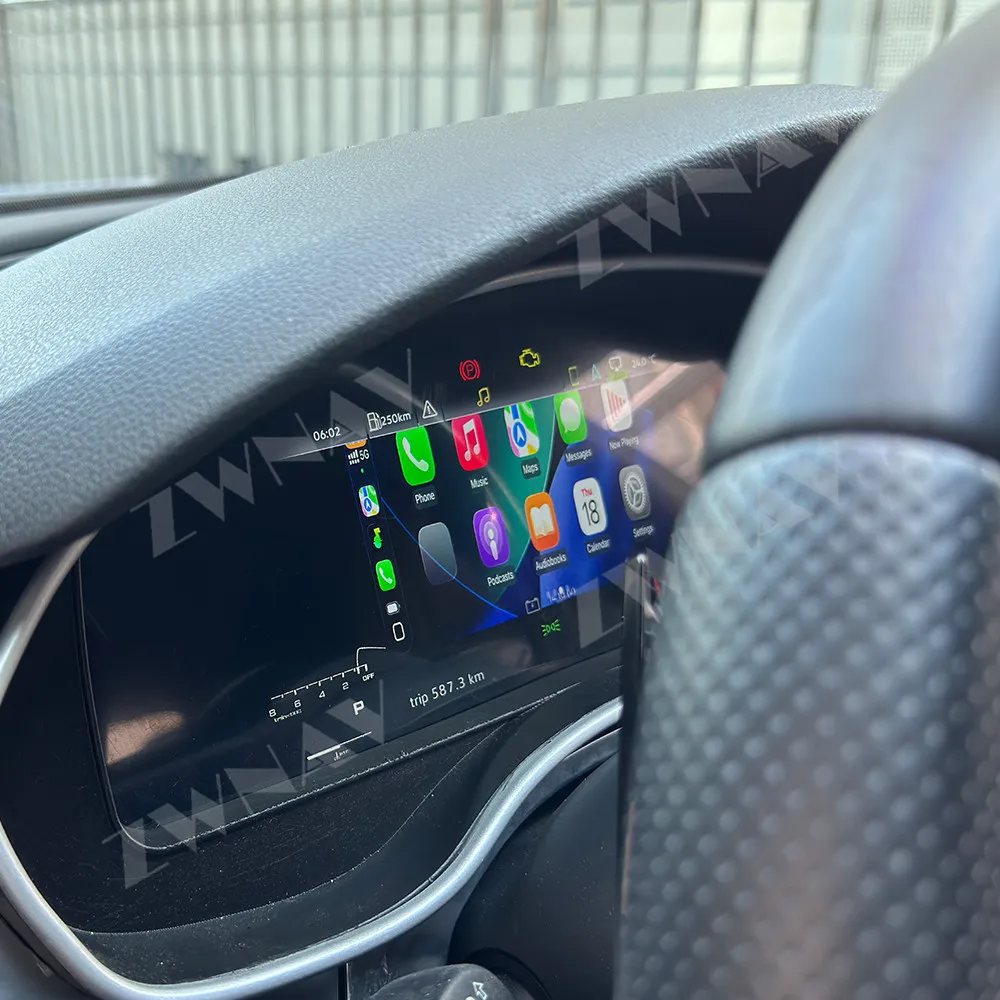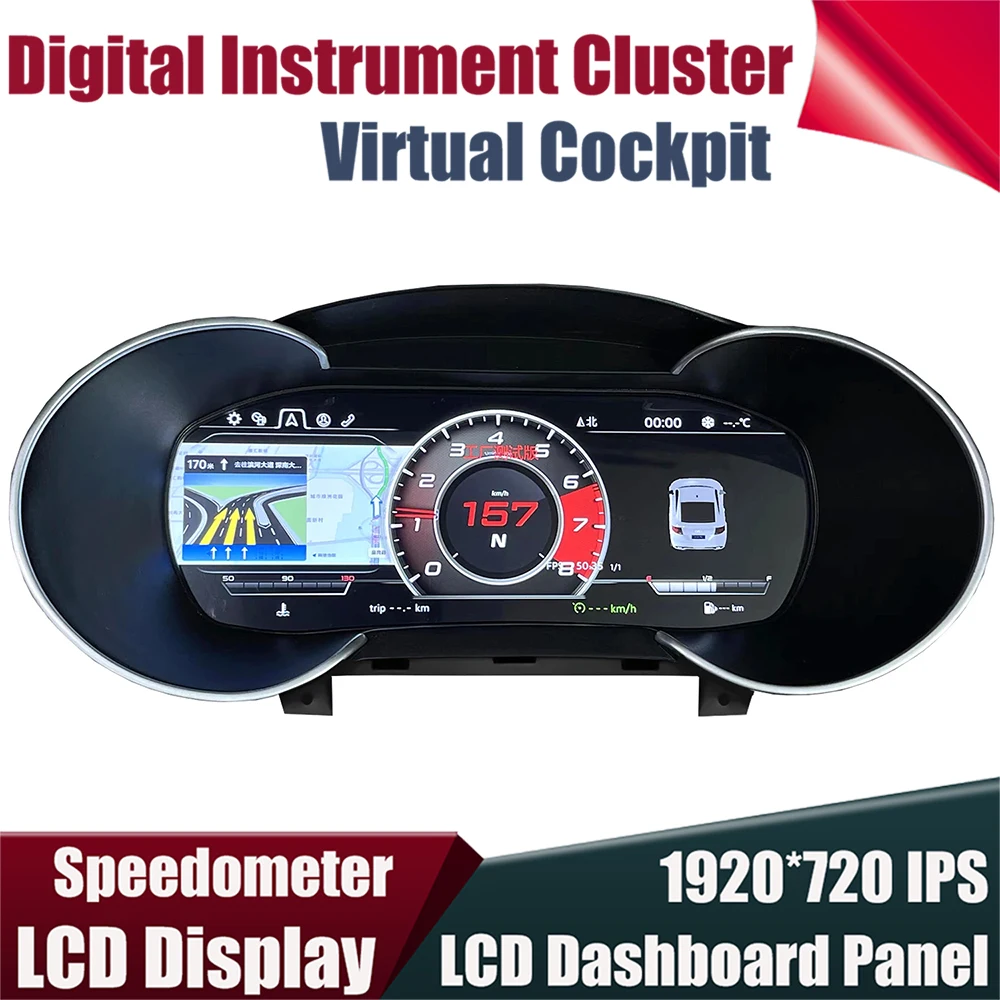
The LCD CARPLAY Digital Virtual Cockpit Instrument stands out as the premier upgrade for Audi owners seeking modern connectivity in their A3, A4 B8, A5, A6, A7, Q3, Q5, or TT models. This comprehensive digital dashboard replacement delivers Apple CarPlay functionality directly to your instrument cluster at EUR 403.25, down from EUR 425.05.
Why Upgrade to a Digital Virtual Cockpit
Traditional analog instrument clusters in older Audi models lack the connectivity features modern drivers expect. Digital virtual cockpits transform the driving experience by replacing mechanical gauges with customizable LCD displays. These systems provide real-time navigation, media controls, and vehicle diagnostics in a central location that maintains focus on the road ahead.
The transition from analog to digital instrumentation represents one of the most significant interior upgrades available for B8-generation Audis and similar models. Unlike aftermarket head units that replace the MMI screen, digital instrument clusters maintain the factory appearance while modernizing functionality. This approach preserves the premium aesthetic Audi owners value while adding contemporary features.
Installation difficulty varies based on vehicle model and electrical system complexity. Most digital cockpit replacements require dashboard removal and connector adaptation. Professional installation typically costs between EUR 200 and EUR 400, depending on regional labor rates and vehicle-specific requirements. Some experienced DIY enthusiasts complete installations in 3-4 hours with proper tools and instructions.
CarPlay Integration Benefits
Apple CarPlay integration directly in the instrument cluster eliminates the need to glance at separate screens. Navigation directions appear in the driver's primary field of vision, reducing distraction. Music controls, phone calls, and messaging functions become accessible through steering wheel controls without taking eyes off the road.
This integration differs from traditional CarPlay installations that display on the center MMI screen. The instrument cluster placement provides ergonomic advantages, particularly during highway driving. Turn-by-turn directions appear exactly where drivers naturally check speed, creating seamless information flow.
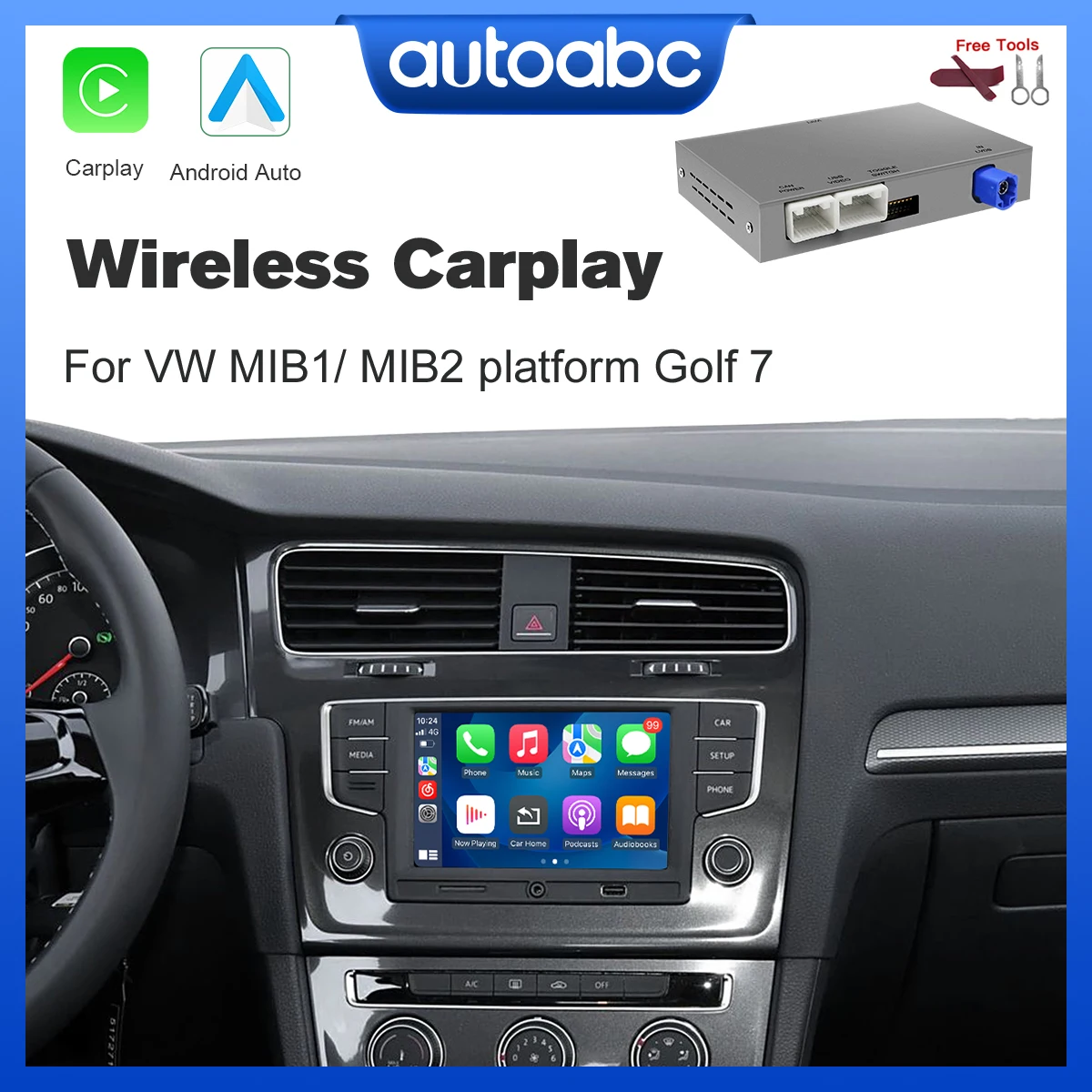
Wireless CarPlay capability eliminates cable clutter in the cabin. Automatic connection when entering the vehicle streamlines the user experience. iPhone users benefit from Siri voice commands for hands-free operation of navigation, communication, and entertainment functions.
Featured Product Deep Dive
LCD CARPLAY Digital Virtual Cockpit Instrument
The LCD CARPLAY Digital Virtual Cockpit Instrument replaces factory instrument clusters in Audi A3, A4 B8, A5, A6, A7, Q3, Q5, and TT models. The system features a high-resolution LCD panel that replicates OEM virtual cockpit aesthetics while adding Apple CarPlay functionality. Priced at EUR 403.25 after a EUR 21.80 discount, this upgrade delivers premium features at a competitive price point.
The display shows speedometer, tachometer, fuel level, and temperature gauges alongside CarPlay applications. Drivers can customize display layouts to prioritize navigation during trips or media controls during commutes. The system maintains factory vehicle diagnostics, including service reminders, tire pressure monitoring, and warning lights.
Physical dimensions match OEM specifications, ensuring direct fitment without dashboard modification. The cluster connects to existing wiring harnesses through included adapters. Brightness adjustment allows optimal visibility in direct sunlight and nighttime driving conditions. Anti-glare coating reduces reflections on the windshield.
This digital cockpit supports both USB-connected and wireless CarPlay operation. The wireless module enables automatic iPhone detection when the driver enters the vehicle. Steering wheel controls retain full functionality for volume adjustment, track skipping, and voice assistant activation. The system draws power from factory connections without requiring additional wiring.
Odometer readings transfer from the original cluster, maintaining accurate mileage records. This feature proves essential for maintaining vehicle value and service history integrity. The cluster retains coding for vehicle-specific features like quattro all-wheel-drive indicators and sport mode displays.
Installation requires cluster removal, connector adaptation, and potential coding through diagnostic software. The process involves disconnecting the battery, removing the steering column shroud, and extracting the factory cluster. Coding may require VCDS or similar diagnostic tools to activate all functions. Professional installers complete the process in 2-3 hours.
Compatibility Considerations
The digital virtual cockpit fits specific Audi model ranges and production years. A3 8V models from the mid-2010s accept the upgrade with minimal modification. A4 and A5 B8 generation vehicles require adapter harnesses for proper connection. A6 C7 and A7 4G models typically integrate smoothly with existing electrical systems.
Q3 and Q5 compatibility depends on dashboard configuration and existing instrument cluster type. TT models from certain generations accept the upgrade, though color display variants may differ. Verification of VIN compatibility prevents purchasing incompatible units. Sellers typically provide compatibility checking services before purchase.
Some vehicles require additional coding or software updates for full functionality. Vehicle CAN bus protocols must match cluster programming. Mileage programming ensures accurate odometer display. Steering wheel control mapping may need adjustment through diagnostic software.
Installation Requirements
Proper installation begins with battery disconnection to prevent electrical system damage. Steering column shroud removal provides access to cluster mounting bolts. Factory clusters typically secure with 2-4 screws and release from the dashboard with gentle pulling. Electrical connectors require careful disconnection to avoid pin damage.
Adapter harnesses bridge connections between the new cluster and factory wiring. These adapters match connector types and pin configurations specific to each model. Some installations require splicing wires for additional features like video input or backup camera integration.
VCDS or OBD11 diagnostic tools enable cluster coding and adaptation. This process activates CarPlay functions, calibrates gauges, and transfers odometer readings. Coding procedures vary by vehicle model and may require online guides or professional assistance. Incorrect coding can trigger warning lights or limit functionality.
Performance and Display Quality
LCD panel resolution determines gauge clarity and CarPlay display sharpness. Higher-resolution screens provide crisp text rendering for navigation instructions and contact names. Refresh rates affect animation smoothness when transitioning between display modes. Quality panels maintain consistent brightness across the entire display surface.
Color accuracy ensures warning lights appear in correct hues for proper recognition. Red warning indicators must clearly differentiate from yellow caution lights. Blue and green information lights should match factory specifications. Backlight uniformity prevents dark spots or bright areas that distract during night driving.
Response time impacts CarPlay interaction smoothness. Faster processors reduce lag between steering wheel inputs and on-screen responses. Navigation map rendering speed affects real-time turn-by-turn direction accuracy. Audio playback should synchronize properly with visual displays for seamless operation.
Value Proposition Analysis
The EUR 403.25 price point positions this upgrade competitively against factory virtual cockpit retrofits. Genuine Audi virtual cockpit conversions often exceed EUR 2000 with parts and coding. Aftermarket alternatives deliver similar functionality at roughly 20 percent of OEM costs while maintaining acceptable quality standards.
Recommended Products
Hand-picked accessories related to this article
Added resale value partially offsets upgrade costs for owners planning future vehicle sales. Modern buyers increasingly expect smartphone integration in premium vehicles. CarPlay functionality can increase resale appeal by EUR 500 to EUR 1000 compared to analog-equipped equivalents.
Long-term reliability determines true value beyond initial purchase price. Quality aftermarket clusters typically last 5-7 years with normal use. Warranty coverage ranging from 6-12 months protects against manufacturing defects. Extended warranty options provide additional peace of mind for concerned buyers.
Alternative Upgrade Paths
Center console screen replacements offer CarPlay without instrument cluster modification. These units replace factory MMI screens with larger touchscreen displays featuring wireless connectivity. Installation typically proves simpler than cluster replacement, requiring fewer electrical connections and less dashboard disassembly.
Smartphone mounting solutions provide the most affordable CarPlay access. Quality dashboard mounts cost EUR 20-50 and install without tools. However, these solutions lack integration with vehicle systems and create visual clutter. Drivers must glance away from the road to view mounted phones.
Head unit replacements in older Audis without MMI systems enable CarPlay through aftermarket receivers. Single-DIN and double-DIN units fit various dashboard configurations. These installations require trim panel modification but preserve factory instrument clusters. Costs range from EUR 300-800 including installation.
Top Picks at a Glance
- Best Overall Value: LCD CARPLAY Digital Virtual Cockpit Instrument at EUR 403.25 delivers comprehensive CarPlay integration with gauge replacement
- Model Coverage: Compatible with A3, A4 B8, A5, A6, A7, Q3, Q5, and TT models for wide applicability
- Key Feature: Wireless CarPlay functionality eliminates cable connections while maintaining factory aesthetic
- Installation Note: Professional installation recommended for proper coding and odometer transfer
- Discount Available: Current pricing reflects EUR 21.80 savings from original EUR 425.05 retail price
Making the Right Choice
Selecting a digital instrument cluster requires balancing budget, desired features, and installation complexity. The current market offers limited options for true instrument cluster CarPlay integration compared to center console alternatives. Quality differences between manufacturers affect long-term satisfaction and reliability.
Display specifications merit close examination before purchase. Screen resolution, brightness levels, and viewing angles impact daily usability. Lower-quality panels may wash out in direct sunlight or show poor contrast in dark conditions. Reviews from actual users provide valuable insights into real-world performance.
Warranty terms and seller reputation protect buyers from defective units. Established sellers typically offer return policies and technical support for installation questions. Communication responsiveness before purchase often indicates post-sale support quality. Buyers should verify warranty coverage includes both parts and labor for defects.
Installation Best Practices
Thorough preparation prevents common installation mistakes. Gathering necessary tools before starting saves time and frustration. Required items typically include trim removal tools, socket sets, diagnostic software, and a laptop. Workspace lighting and organization prevent lost screws and connector damage.
Documentation through photos during disassembly aids reassembly. Smartphone cameras capture connector orientations and wire routing. Labeling connectors with tape prevents confusion during installation. These simple steps significantly reduce installation time and error rates.
Test fitting before final installation identifies potential fitment issues. Verifying connector compatibility prevents forcing incorrect connections. Temporary connection testing confirms functionality before permanent mounting. This approach allows corrections without repeated disassembly.
Maintenance and Longevity
Digital instrument clusters require minimal maintenance compared to mechanical gauge mechanisms. LCD panels contain no moving parts that wear over time. Electronic components typically outlast the vehicles they serve when properly installed. Avoiding extreme temperature exposure during installation protects sensitive circuits.
Software updates occasionally become available for improved functionality or bug fixes. Some manufacturers provide update files through their websites or support channels. Update procedures typically involve USB connection and file transfer. Checking for updates every 6-12 months ensures optimal performance.
Screen cleaning requires appropriate materials to prevent damage. Microfiber cloths and screen-safe cleaners avoid scratching the display surface. Harsh chemicals or abrasive materials can remove anti-glare coatings or damage polarization layers. Gentle cleaning maintains clarity without risking permanent damage.
Frequently Asked Questions
Does Installing an Aftermarket Digital Cluster Affect My Audi Warranty?
Installing aftermarket instrument clusters may impact warranty coverage on related components. Dealers can deny warranty claims for issues directly caused by modifications, but cannot void the entire vehicle warranty. Components unrelated to the cluster modification remain covered under original warranty terms. Vehicles outside factory warranty periods face no warranty concerns from cluster upgrades.
Can I Transfer My Accurate Odometer Reading to the New Cluster?
Proper installation includes odometer transfer from the original cluster to maintain legal mileage records. This process requires diagnostic software like VCDS or OBD11 that can read stored mileage data and program the new cluster. Professional installers routinely perform this service as part of the installation process. Retaining the original cluster provides backup documentation of true mileage.
Will All My Steering Wheel Controls Work with CarPlay?
Steering wheel controls maintain functionality for volume, track selection, and voice assistant activation. The cluster integrates with existing vehicle CAN bus protocols that transmit steering wheel inputs. Some functions may require coding adjustments through diagnostic software for proper mapping. Most installations achieve full control compatibility with proper setup procedures.
How Difficult Is the Installation Process for Average DIY Enthusiasts?
Installation difficulty rates as intermediate to advanced for DIY enthusiasts with automotive electrical experience. The physical cluster removal requires basic mechanical skills and trim panel familiarity. Electrical connections demand careful attention to prevent damage. Coding and software adaptation represent the most challenging aspects for inexperienced installers. Professional installation costs EUR 200-400 and guarantees proper functionality.
Does Wireless CarPlay Drain My iPhone Battery Faster Than Wired Connection?
Wireless CarPlay consumption exceeds wired connections by approximately 10-15 percent due to continuous Bluetooth and WiFi operation. However, most vehicles charge phones wirelessly or through USB ports, compensating for the increased drain. Battery impact remains negligible during typical commutes under 60 minutes. Longer trips benefit from concurrent charging to maintain battery levels.
This article was produced through comprehensive AI-powered research and editorial tools. While we strive for accuracy, all vehicle modifications, product purchases, and installation decisions are undertaken entirely at your own risk and responsibility. We recommend consulting a qualified automotive professional before making any changes to your vehicle.