Installing a 360° panoramic camera system on Audi vehicles requires specific mounting brackets and display cables designed for each model generation. The installation components differ between A5 B9, A6 C7, and A6 C8 chassis, with each requiring dedicated rearview mirror housings, front bumper brackets, and display connectivity cables to integrate properly with factory infotainment systems.
Rearview Mirror Mounting Solutions for Panoramic Cameras
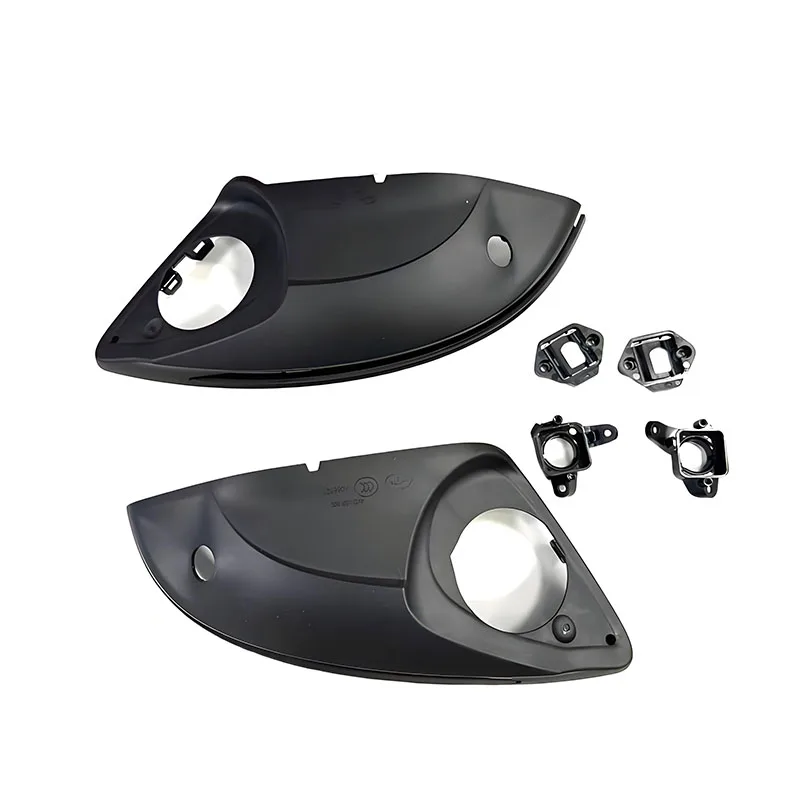
The A5 B9 A5 S5 360° panoramic camera rearview mirror bottom shell bracket serves as the foundation for integrating side-view cameras into the factory mirror assembly. This bracket replaces the original mirror housing bottom section and provides mounting points for left and right cameras that capture the vehicle's blind spots. The design maintains OEM fitment while adding camera integration points without requiring permanent modifications to the mirror assembly itself.
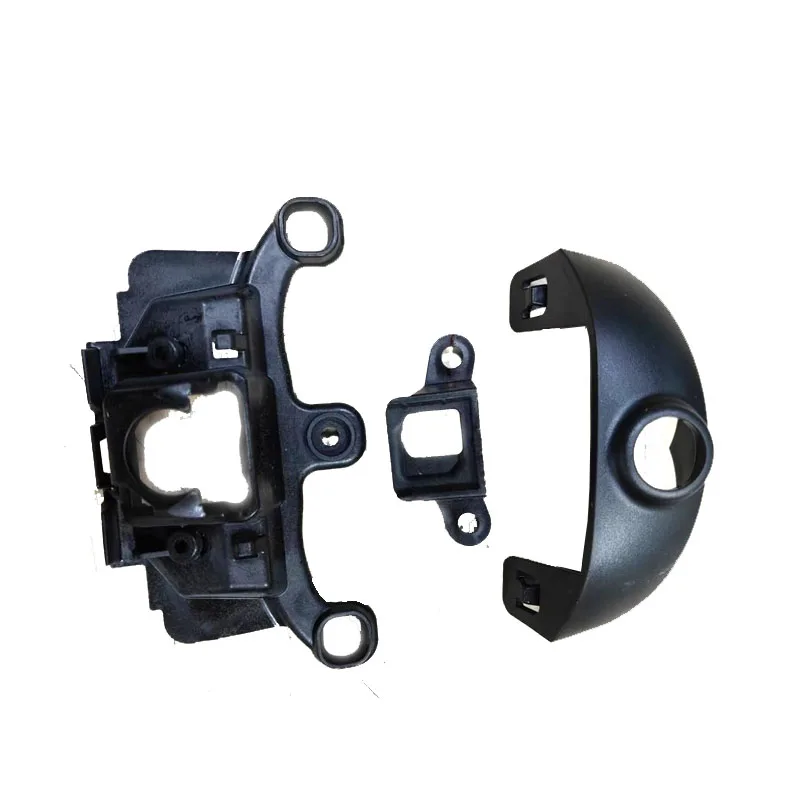
For A6 C8 models, the panoramic mirror housing with bracket for 360 Degree Surround View offers a complete housing replacement rather than just a bottom shell. This full-housing approach accommodates the C8 generation's different mirror design and electrical architecture. The bracket integrates camera mounts directly into the housing structure, ensuring proper angle alignment for the 360° bird's-eye view processing system.
Mirror Bracket Compatibility Considerations
Audi's mirror housings changed significantly between the B9 (A5) and C8 (A6) platforms. The B9 bracket works with 2016-onward A5 and S5 models, fitting both coupe and Sportback variants. The C8 bracket specifically addresses the 2018-onward A6 design, which features different mounting clip positions and electrical connector routing compared to earlier generations. Verify your exact model year and mirror type before ordering, as Prestige, Premium Plus, and Premium trim levels may have different base mirror configurations.
Display Cable Integration for MIB 3 Systems
The 4M0 971 245 C Screen Loom for A6 C7 A7 4K A8 D5 Q7 4M Q8 is the critical connection between panoramic camera processors and Audi's MIB 3 (Modular Infotainment Platform) display units. This harness carries video signals from the camera control module to the central MMI screen, enabling display of the processed 360° view. The 4M0971245C part number specifically supports MIB 3 High systems found in higher-specification vehicles with larger displays.
This display cable differs from standard camera harnesses because it handles processed video data rather than raw camera feeds. The cable includes shielding to prevent electromagnetic interference from affecting image quality, particularly important in vehicles with extensive electronic systems. The connector configuration matches factory MIB 3 pinouts, ensuring compatibility with OEM display refresh rates and resolution specifications.
MIB 3 System Compatibility
The 4M0 971 245 C cable spans multiple model generations including A6 C7 (2011-2018), A7 4K (2018-onward), A8 D5 (2017-onward), Q7 4M (2015-onward), and Q8 models. This cross-platform compatibility exists because Audi standardized the MIB 3 display connector architecture across these vehicles. However, vehicles originally equipped with MIB 2 or MIB 2+ systems require additional coding and potentially control module updates beyond just the cable installation.
Front Bumper Camera Mounting Hardware
The 4K0853231A front bumper camera bracket for A6 C8 mounts the forward-facing camera behind the front grille, providing the front-view component of the 360° system. This bracket attaches to existing mounting points in the grille structure without requiring drilling or permanent modifications. The part number 4K0853231A is specific to C8 chassis vehicles and positions the camera at the correct height and angle for proper image alignment with side and rear cameras.
Front camera positioning is critical for accurate 360° view stitching. The bracket must place the camera lens at a precise distance from the grille surface to avoid obstruction from grille slats while maintaining the lens within the system's calibrated field-of-view parameters. Most aftermarket 360° systems require camera placement within 10-15mm tolerance of specified positions for the image processing algorithm to correctly merge all four camera feeds into a seamless overhead view.
Installation Requirements
Installing the front bumper bracket typically requires partial grille removal to access mounting points. The bracket uses factory threaded inserts or clip positions designed into the grille carrier structure. Some installations may require routing a camera cable through the bumper cover and into the engine bay, connecting to the camera control module typically mounted behind the front bumper or near the headlight assemblies. Cable routing should avoid sharp edges and maintain sufficient clearance from hot engine components.
Recommended Products
Hand-picked accessories related to this article
SaleFor A5 B9 A5 S5 360° panoramic camera Rearview mirror bottom shell bracket

HSD MIB 3 Display Cable - For Audi A6 C7 A7 4K A8 D5 Q7 4M Q8 Screen Loom 4M0 971 245 C
 Sale
SaleFor A6 C8 panoramic mirror housing with bracket 360 Degree Surround View Panoramic mirror housing with bracket
 Sale
Sale4K0853231A For A6 C8 FRONT BUMPER CAMERA BRACKETFRONT GRILLE BRACKET 4K0853231 A 4K0 853 231 A
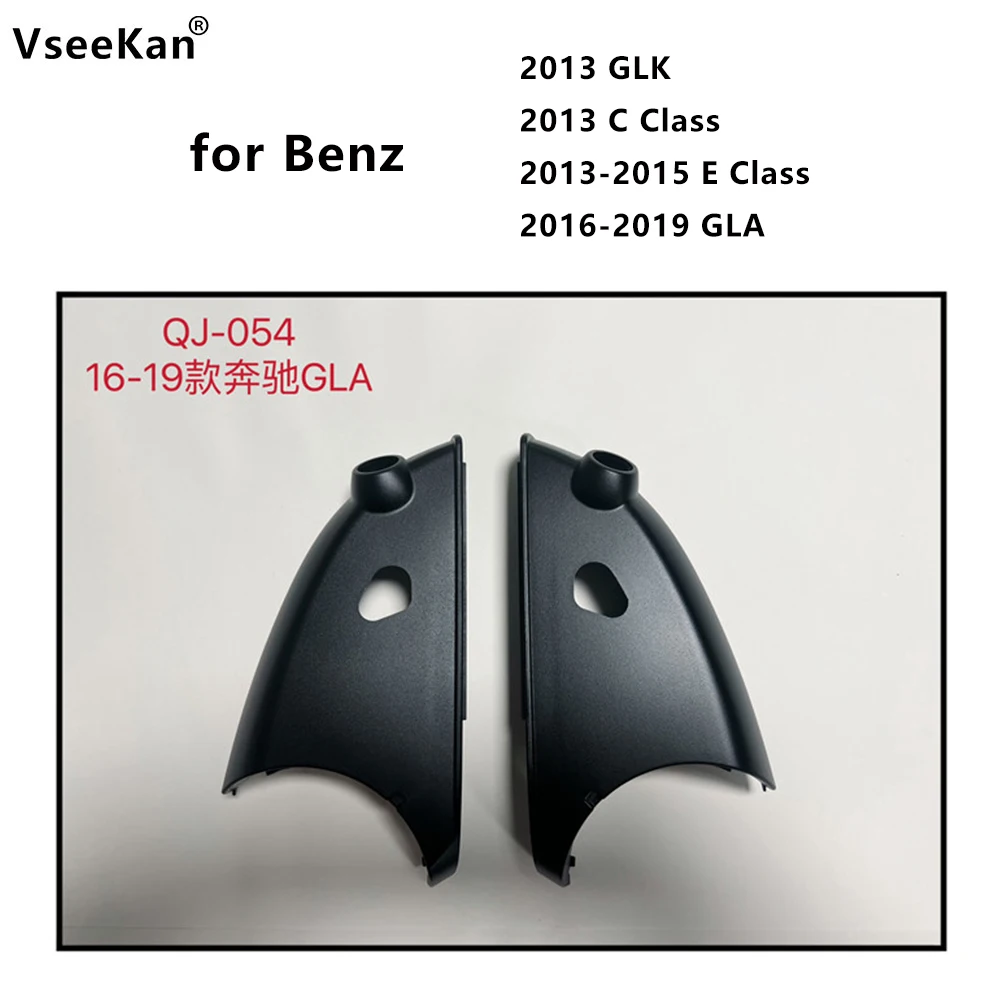
for 2013GLK C Class 2013-2015E Class 2016-2019 GLA 360 panoramic camera left/right special plastic bracket Rearview mirror shell
![[TG820]Hole Opener For Car Installation Of 360 Panoramic Camera Rod Left And Right Rearview Mirror Hole Pull Tool](https://ae-pic-a1.aliexpress-media.com/kf/S1d7175ddf3dd41978ef9040dd8b0e48aJ.jpg) Sale
Sale[TG820]Hole Opener For Car Installation Of 360 Panoramic Camera Rod Left And Right Rearview Mirror Hole Pull Tool
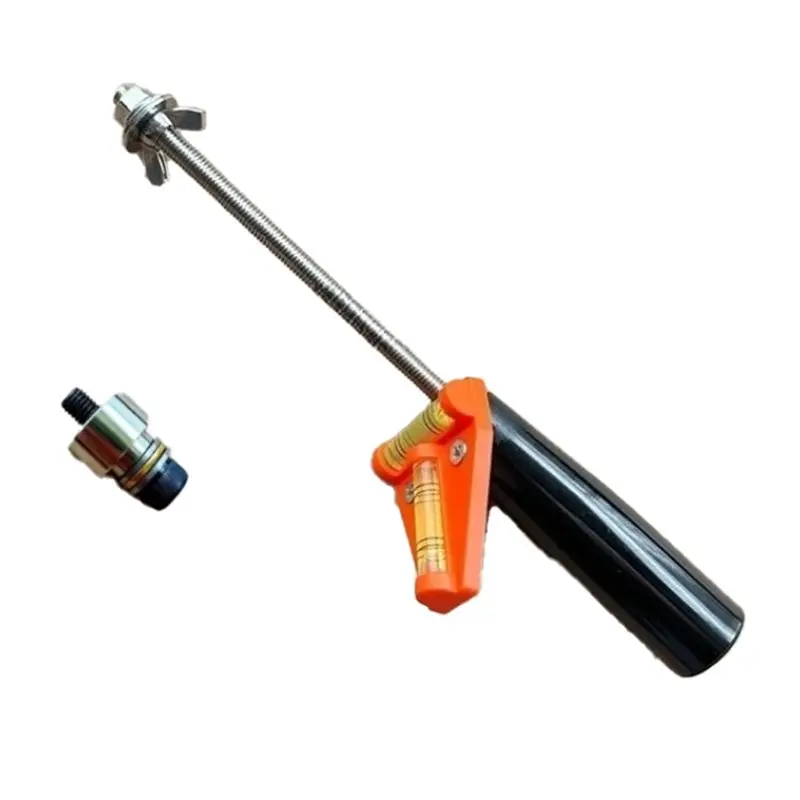
For Car Installation Of 360 Panoramic Camera Rod Pull Tool For Left And Right Rearview Mirror Hole
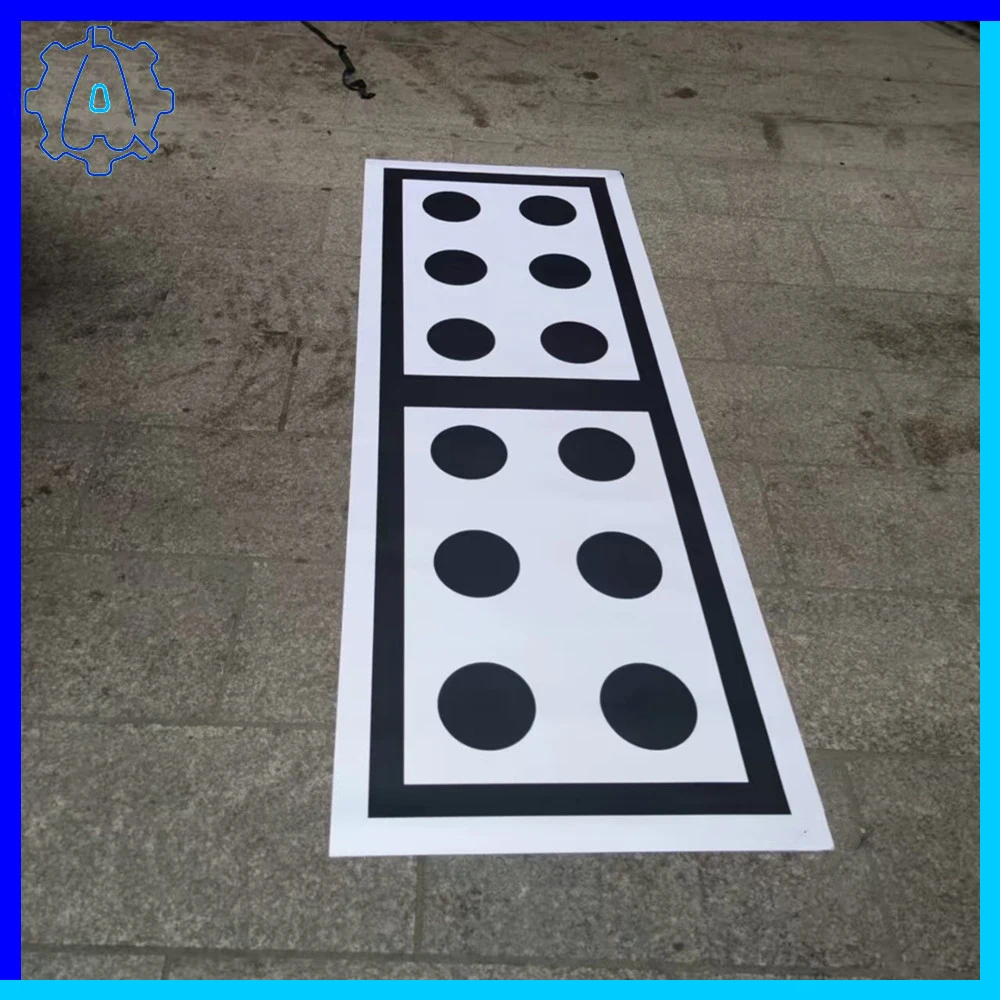
360 panoramic rearview camera calibration tool For VW Audi Skoda front and rear camera calibration tool, Car Accessories
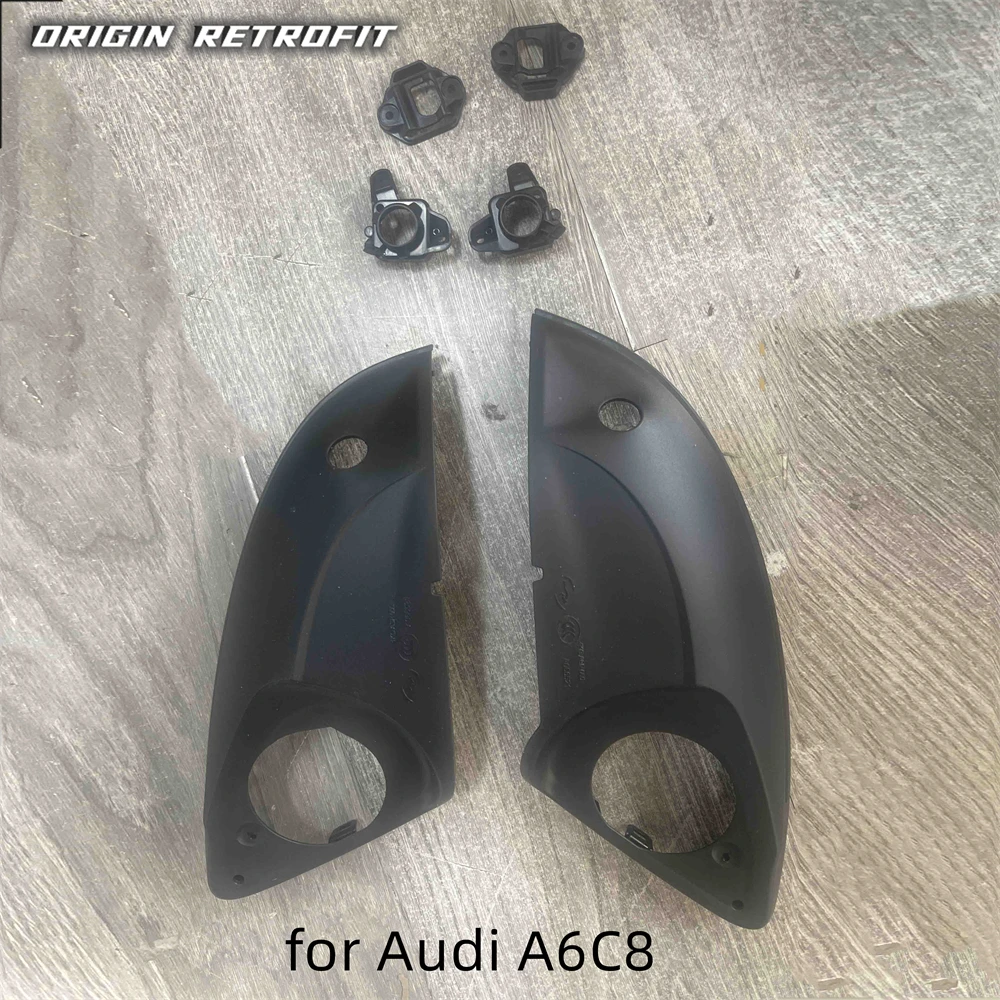
For Audi A4 A5 B9 A6 C8 360 panoramic camera bottom shell Rear view mirror cover 360 system camera holder bracket
OEM vs Aftermarket Bracket Considerations
Genuine Audi panoramic camera components cost significantly more than aftermarket alternatives but guarantee exact fitment and material specifications. Aftermarket brackets typically use ABS plastic rather than the reinforced composites found in OEM parts. While aftermarket options generally fit correctly, quality varies in areas like UV resistance, temperature tolerance, and long-term durability of mounting clips.
The display cable represents the most critical component for compatibility. Aftermarket cables must match OEM pinout configurations exactly, as incorrect wiring can damage expensive infotainment control modules. Cables lacking proper shielding may introduce video noise or interference, particularly noticeable during night operation or in heavy rain conditions when camera image quality is already compromised.
Camera System Integration and Coding
Installing mounting brackets and cables represents only the physical component of panoramic camera retrofitting. Audi vehicles require coding changes through VCDS, OBDeleven, or dealer-level diagnostic systems to activate camera inputs and enable 360° view display functionality. The infotainment system must recognize camera signals and launch the appropriate visualization software when the driver selects panoramic view mode or engages reverse gear.
Coding typically involves enabling camera control modules in the gateway, activating video inputs in the MMI unit, and configuring camera calibration parameters. Some systems require entering specific camera orientation values to ensure proper image alignment. Without correct coding, physically installed cameras will not display or may show error messages in the instrument cluster.
Key Takeaways
- Model-specific brackets required: A5 B9 uses bottom shell replacements while A6 C8 needs complete mirror housings
- 4M0 971 245 C display cable specifically for MIB 3 systems across A6 C7, A7 4K, A8 D5, Q7 4M, and Q8 models
- Front bumper bracket 4K0853231A designed exclusively for A6 C8 grille mounting points
- Camera positioning tolerance critical: 10-15mm variance affects 360° image stitching quality
- VCDS or dealer-level coding mandatory after physical installation for system activation
Frequently Asked Questions
Can I use A6 C7 panoramic camera brackets on an A6 C8?
No, the C7 and C8 generations have completely different mirror housing designs and front grille structures. The mounting points, electrical connectors, and physical dimensions changed between generations. You must use C8-specific brackets for proper fitment on 2018-onward A6 models.
Does the 4M0 971 245 C cable work with MIB 2+ systems?
The 4M0971245C is designed for MIB 3 display units. While physical connectors may appear similar, MIB 2+ systems use different pinout configurations and signal protocols. Attempting to use this cable with MIB 2+ may result in no display or potential damage to control modules. Verify your infotainment generation before purchasing.
What tools are needed to install front bumper camera brackets?
Installation typically requires basic hand tools: T20, T25, and T30 Torx drivers for grille and bumper fasteners, plastic trim removal tools to avoid scratching painted surfaces, and potentially an 8mm socket for grille carrier bolts. No specialized automotive tools are necessary, but access to VCDS or OBDeleven is essential for post-installation coding.
Will aftermarket brackets affect factory warranty coverage?
Installing aftermarket camera brackets generally does not void factory warranty unless the installation directly causes damage to covered components. However, if a camera-related electrical issue occurs, dealers may attribute problems to aftermarket parts. Using OEM part numbers like 4K0853231A ensures warranty compliance for camera system installations.
This article was produced through comprehensive AI-powered research and editorial tools. While we strive for accuracy, all vehicle modifications, product purchases, and installation decisions are undertaken entirely at your own risk and responsibility. We recommend consulting a qualified automotive professional before making any changes to your vehicle.